Payactiv
- 4.4
- Rating
- 1.00M
- Installs
- Free
- Price
 Analysis by App-foxy
Payactiv is a finance app I would describe as a bridge between the money you have already earned and the day your regular paycheck arrives. Developed by On-demand pay and beyond, it is free to install, rated for Everyone, and has built a sizeable audience with an average score of 4.4 from roughly forty-five thousand ratings. I spent time looking at it as an everyday money-management tool rather than treating early wage access as a magic solution, and that distinction matters: its value depends heavily on how consistently your employer and payroll situation work with the service.
The central idea is straightforward. Instead of waiting for the normal payday cycle, eligible users can access earned wages earlier and use the app as part of a broader effort to stay on top of bills and short-term cash flow. That can be genuinely useful when a payment is due before payday, but it also creates a responsibility that is easy to overlook. Getting money sooner does not increase your income; it changes when part of that income reaches you. I think Payactiv makes the most sense when used deliberately, with a repeatable plan for ordinary expenses rather than as a permanent substitute for a budget.
How Payactiv fits into a normal payday routine
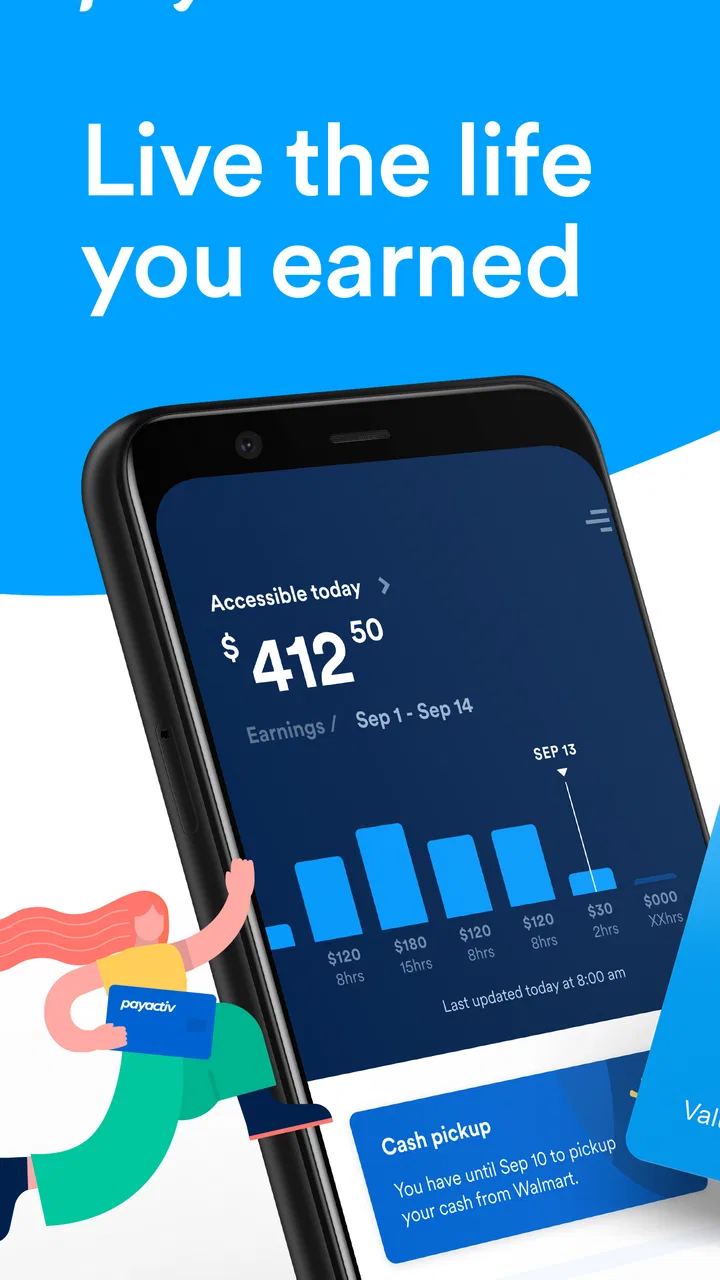
My recommended starting point is to treat Payactiv as a visibility and timing tool. After installing the current version, 2.2.8, I would first make sure the account details and employment information are entered carefully, then look through the available balance and transaction areas before requesting anything. The important habit is to understand what amount is available to access and what will remain for the normal payroll deposit. Rushing straight to a withdrawal makes it harder to see the effect on the rest of the pay period.
You May Also Like

 Blood Strike: 2.5 Anniversary
Blood Strike’s Loadouts Turn Every Drop Into a Tactical Gamble
A close look at Blood Strike’s custom loadouts: how fast access to signature weapons reshapes its battle royale rhythm, rewards preparation, and narrows the gap between fights.

 Pandora - Music & Podcasts
Pandora’s Music Is Easy to Start, but Harder to Recover
Pandora’s strength is its low-effort path from a seed to a station. Its weak spot is how much confidence it asks you to place in connection, setup, and quiet recovery.

 8 Ball Pool
 Is Built on Rivalries, Rematches, and Routine
A close look at the rivalries, rematches, shared routines, and unanswered safety questions that turn a quick pool match into a persistent mobile community.

 Samsung Music
’s Quiet Strength Is Playing What You Already Own
Its reach comes less from spectacle than from dependable access to a personal library. That simplicity is both the app’s strongest retention engine and its ceiling.

 AccuWeather: Weather Radar
AccuWeather Review: A Quick, Clear Forecast for Everyday Decisions
For everyday plans, the best forecast is the one you can understand quickly. AccuWeather makes rain timing, radar, and local conditions easy to act on, with a few trade-offs.

 Hill Climb Racing
Why Hill Climb Racing Still Turns Crashes Into One More Run
A tiny car, a bumpy hill and one more upgrade: Hill Climb Racing keeps resurfacing because its simple chaos makes every near-miss feel personal.
More From Our News Desk



A realistic example is a utility bill that arrives several days before payday. If the app shows that part of your earned wages is available, accessing only the amount needed may help you avoid a late payment or an expensive alternative. I would not use the entire available balance simply because it appears on screen. A smaller transfer preserves more of the eventual paycheck and makes the next few days easier to manage. This is one of the first practical differences between using the app thoughtfully and using it as an emergency button.
The app is also more useful when I check it at predictable moments. A quick review after a shift or near the end of the workweek can help me decide whether a planned expense is covered, while checking repeatedly throughout the day can encourage unnecessary withdrawals. Experienced use is less about constantly opening the app and more about creating a simple rhythm: review what is available, compare it with the next essential bill, and take action only when the timing genuinely helps.
That workflow also answers an important question for prospective users: is Payactiv a budgeting app in the traditional sense? I would not rely on it as a complete replacement for a dedicated budgeting system. Its strongest role is connecting earned pay with immediate financial decisions. If you need detailed category planning, long-term investment analysis, or a full household accounting system, another finance tool may be better alongside it. Payactiv can support those habits, but it should not be mistaken for an all-purpose financial dashboard.
What to check before depending on early access
Eligibility is the first practical checkpoint. The service is built around access to earned wages, so the experience depends on whether your employment and payroll arrangement support that process. I would confirm that relationship before planning a bill around an expected transfer. An app can be well designed and still be the wrong solution if your workplace setup does not provide the necessary access.
I would also pay attention to the difference between money shown as earned and money that can actually be accessed. Those concepts may not always feel identical in a real payroll workflow. Before making a commitment, I would read the available transfer information carefully and avoid assuming that every hour worked immediately becomes usable cash. That small pause can prevent an unpleasant surprise when a bill is due.
Another sensible check is the effect on the ordinary paycheck. Early access can make a difficult week more manageable, but the later deposit will reflect the amount already received. I recommend writing down the expected remaining paycheck before requesting funds. This simple step is especially valuable for rent, loan payments, or any expense that is normally paid from the full payroll deposit.
Because the app is free, the main cost for many users is not an upfront subscription decision but the financial trade-off created by timing. I would still examine the details presented during each transaction and compare them with the alternatives available to you. If the choice is between a controlled early wage transfer and a much more expensive form of emergency borrowing, Payactiv may be the more sensible route. If you can simply wait a few days without consequences, waiting may be the better financial decision.
Settings and account habits worth checking
Rather than changing every option immediately, I would review the account and notification settings with one goal: make the app support decisions without becoming a source of noise. Notifications about account activity can be useful because they help confirm what happened, but too many alerts may turn every balance change into a prompt to spend. I prefer a setup that keeps important activity visible while leaving me enough quiet to follow a budget.
It is worth checking whether the displayed personal and employment information is correct whenever circumstances change. A new job, altered payroll arrangement, or changed contact detail can affect how confidently you should rely on the app. I would not wait until a bill is due to discover that an old detail is still attached to the account. A short review during a routine monthly money check is a good safeguard.
Security deserves the same attention as convenience. I would use a strong, unique sign-in method and avoid accessing a financial account casually on a shared device. I would also review transaction activity after every transfer instead of assuming that a completed-looking screen tells the whole story. These are ordinary precautions, but they matter more when an app is connected to wages rather than just displaying general financial information.
One useful setting-related habit is to separate “information checks” from “withdrawal decisions.” Open the app first to see what has changed, then close it and decide whether action is necessary. This sounds minor, but it prevents the available balance from becoming a spending target. In my view, that is a more valuable form of customization than chasing a perfect notification arrangement.
Users also often wonder whether they must use every part of the service to benefit from it. I would not assume that. If your main need is early access to earned wages, focus on that workflow first and explore additional money-management tools only if they solve a specific problem for you. Keeping the setup narrow makes it easier to understand where your money is going and reduces the chance of adopting features simply because they are present.
Faster patterns that remain under control
Once the basic process is familiar, the best shortcut is preparation. I would identify the recurring bills that regularly land before payday and decide in advance which ones, if any, justify early access. That turns a stressful decision into a known procedure. For example, you might decide that a necessary bill can be covered only when the normal payday timing would create a penalty or interruption. The rule matters more than the exact bill.
A second useful pattern is to request the smallest practical amount rather than rounding up for convenience. If a bill requires a particular sum, taking extra money creates no immediate benefit and may make the later paycheck harder to manage. This is a simple trade-off, but it is one of the clearest ways to keep an early-pay feature from becoming an unplanned spending channel.
I would also keep a short note outside the app showing three things: the amount accessed, the reason, and the expected effect on the next paycheck. That record helps reveal patterns the app itself may not make obvious. If the same expense repeatedly leads to an early transfer, the deeper problem may be the bill’s due date, an irregular income cycle, or a missing emergency buffer. Payactiv can relieve the timing problem while your broader plan addresses the cause.
For people paid on variable schedules, checking after confirmed work rather than relying on an assumed amount is another sensible shortcut. It keeps the decision connected to money actually earned instead of money you expect to earn. I would be especially cautious about using early access based on future shifts, because that can turn a short-term solution into a gap if hours change.
The app’s scale also gives some context for its role. It has more than a million installs and thousands of written reviews, so it is not an obscure experiment with no established audience. Still, popularity should not replace checking whether the workflow fits your employer and personal finances. A large user base can show that the concept is useful to many people, but it cannot guarantee that every individual will have the same access or experience.
Where the convenience has real limits
The biggest limitation is structural: early wage access changes timing, not the amount you earn. If your monthly expenses are consistently higher than your income, using Payactiv more often may postpone the problem while reducing the next paycheck available to solve it. I would skip it as a routine fix for a persistent shortfall and look for a broader budget adjustment, debt plan, or income change instead.
It is also not ideal for someone who wants every financial task in one place. The app belongs to the finance category, but its defining purpose is tied to earned pay and financial wellness rather than acting as a universal bank replacement. Someone seeking extensive investment tools, detailed tax preparation, or advanced envelope budgeting would likely be better served by specialized alternatives. Payactiv can sit beside those tools, but I would not choose it expecting all of them to be built in.
Another trade-off is dependence on payroll timing and account accuracy. If the amount shown does not match your expectations, the right response is to investigate before transferring money, not to keep refreshing or assume the app is wrong. Delays, eligibility questions, or discrepancies can become especially stressful when the transfer is connected to a same-day obligation. For that reason, I would maintain a small backup plan and avoid making the app the only possible way to pay an essential bill.
Compared with waiting for a conventional paycheck, Payactiv offers flexibility but less simplicity. The ordinary method has a clear rhythm: work, wait, receive the scheduled deposit. Early access introduces another decision and another balance to monitor. Compared with credit cards or short-term borrowing, it may be more closely tied to wages already earned, which can make the decision easier to understand, but it still deserves caution because the later paycheck is reduced by what was taken early.
I would also skip the app if you are uncomfortable with employer-linked financial services or if you prefer a strict separation between payroll and personal money management. That is not a criticism of the product; it is a fit issue. A person who already has enough savings to handle timing gaps may gain little from early access, while someone with a reliable emergency fund may prefer to use that fund occasionally and preserve the normal paycheck structure.
Who will get the most from it
Payactiv is most compelling for workers whose main challenge is timing rather than total income. If a necessary expense arrives shortly before payday and you already know how much you can safely access, the app can provide a practical bridge. It may also suit people who want a clearer connection between completed work and money available for immediate obligations, provided they are willing to track the later effect.
It is less suitable for users who want automatic financial discipline without making decisions themselves. The app can show an option, but it cannot decide whether taking money early is wise for your household. I would recommend it to someone who can pause, calculate, and follow a personal rule. I would be cautious about recommending it to anyone who tends to spend an available balance simply because it is visible.
The Everyone age rating makes the app broadly approachable, but age suitability does not remove the need for financial maturity. A new worker may find the concept attractive because it feels like faster access to pay, yet the most important skill is understanding the next deposit. I would explain that point clearly to anyone using the service for the first time: early money is still part of the same paycheck cycle, not a bonus.
For repeat users, mastery comes from using the app less impulsively, not more frequently. Set a specific purpose, verify the amount, record the decision, and review whether the same situation keeps returning. If the pattern improves your ability to handle bills, it is serving a useful role. If it merely moves the same shortage from one date to another, that is a sign to stop and reconsider.
My verdict after building a repeatable routine
I see Payactiv as a focused and potentially useful finance app, especially for people who need controlled access to earned wages before the regular payday. Its free availability, broad audience, and clear purpose make it easy to try, while the current version gives users a straightforward place to review their available pay and make timing decisions. The developer, On-demand pay and beyond, has positioned the app around more than a single transfer, but I would still judge it primarily by how well it fits your real payroll routine.
My recommendation is positive with a firm condition: use it as a bridge, not as extra income. The strongest workflow is to check eligibility and account details, identify a genuine short-term need, request only what is necessary, and note the impact on the next paycheck. That approach preserves the convenience while reducing the risk of turning early access into a repeating cycle.
If your finances are stable and you rarely need money before payday, the app may not add much. If your employer arrangement does not support the service, it is not the right tool regardless of its rating. But when the problem is a temporary mismatch between earned wages and bill dates, Payactiv can be a practical alternative to waiting, using a credit card, or taking a more expensive form of short-term debt. I would recommend it to a careful user who wants flexibility and is prepared to remain accountable for the paycheck that comes afterward.
FAQs for Payactiv
01What is Payactiv and how does it work?
Payactiv is an employee financial wellness app that can provide access to earned wages before your regular payday, depending on whether your employer participates in the service. After connecting your eligible payroll account, the app shows available earnings and may let you transfer money to a bank account, debit card, or other supported option. Availability, limits, and processing times vary by employer and account.
02Can anyone use Payactiv, or must my employer offer it?
Payactiv is generally not available as a standalone service for everyone. In most cases, your employer must partner with Payactiv and confirm your employment and payroll information before you can use earned wage access features. During sign-up, you may need to provide identifying details and follow your employer’s verification process. If your company is not enrolled, some features may be unavailable.
03How much does Payactiv cost to use?
The cost depends on the transfer method, your employer’s agreement, and the specific Payactiv features available to you. Some services or transfers may be free, while expedited delivery or certain financial tools can involve a fee. Before confirming a transaction, review the in-app cost information carefully. Payactiv’s pricing and available options may also differ between employees and participating employers.
04How quickly will money transferred through Payactiv arrive?
Transfer speed depends on the destination account, the selected delivery method, payroll verification, weekends, holidays, and other processing conditions. Some transfers may arrive quickly, while standard bank deposits can take longer. The app normally displays the expected timing before you complete a request. Users should avoid relying on an instant transfer for urgent expenses until they understand the delivery time for their account.
05Is Payactiv safe, and what permissions or information does it require?
Payactiv may request personal, employment, payroll, and financial information to verify eligibility and process wage-access transactions. As with any financial app, download it only from the official Google Play Store or Apple App Store, use a strong unique password, and keep your device updated. Review the privacy policy and requested permissions before registering, and contact official support if you notice suspicious activity.
Pros
- Early access to earned wages can help cover unexpected expenses.
- Includes budgeting tools to help users track and manage their money.
- Supports bill payments and other financial tasks in one app.
- May offer discounts and financial wellness resources to eligible users.
- Simple interface makes checking available earnings relatively convenient.
Cons
- Access depends on employer participation and payroll integration.
- Transfer fees may apply depending on the withdrawal method or account type.
- Not all features are available to every employee or plan.
- Early wage access may encourage frequent withdrawals and weaker budgeting.
- Support and transfer availability can vary by employer and location.

Payactiv
Gallery